What is Ceefax Station?
Ceefax Station is a modern recreation of the classic Ceefax teletext service that ran on BBC television from 1974 until 2012. Just like the original, Ceefax Station delivers information in a distinctive blocky, colorful format that was iconic of the 1970s and 1980s.
But Ceefax Station goes beyond nostalgia—it brings teletext into the modern era by combining the classic visual style with:
- Live data feeds - Real-time weather, news, sports scores, and more
- Amateur radio transmission - Broadcast pages over the airwaves using AX.25 packet radio
- Web tracking - See which stations are transmitting and receiving on an interactive map
- Cross-platform compatibility - Runs on Windows with a terminal-based viewer
The Original Ceefax
Ceefax (an acronym for "See Facts") was the world's first teletext service, launched by the BBC in 1974. It allowed viewers to access text-based information pages by pressing buttons on their TV remote control. These pages were broadcast as part of the television signal and displayed over the TV picture.
Teletext pages had a distinctive look: blocky 40-column text, limited color palette (typically 8 colors), and simple graphics made from text characters. Despite these limitations, Ceefax became incredibly popular, providing news, weather, sports scores, TV listings, and even simple games to millions of viewers.
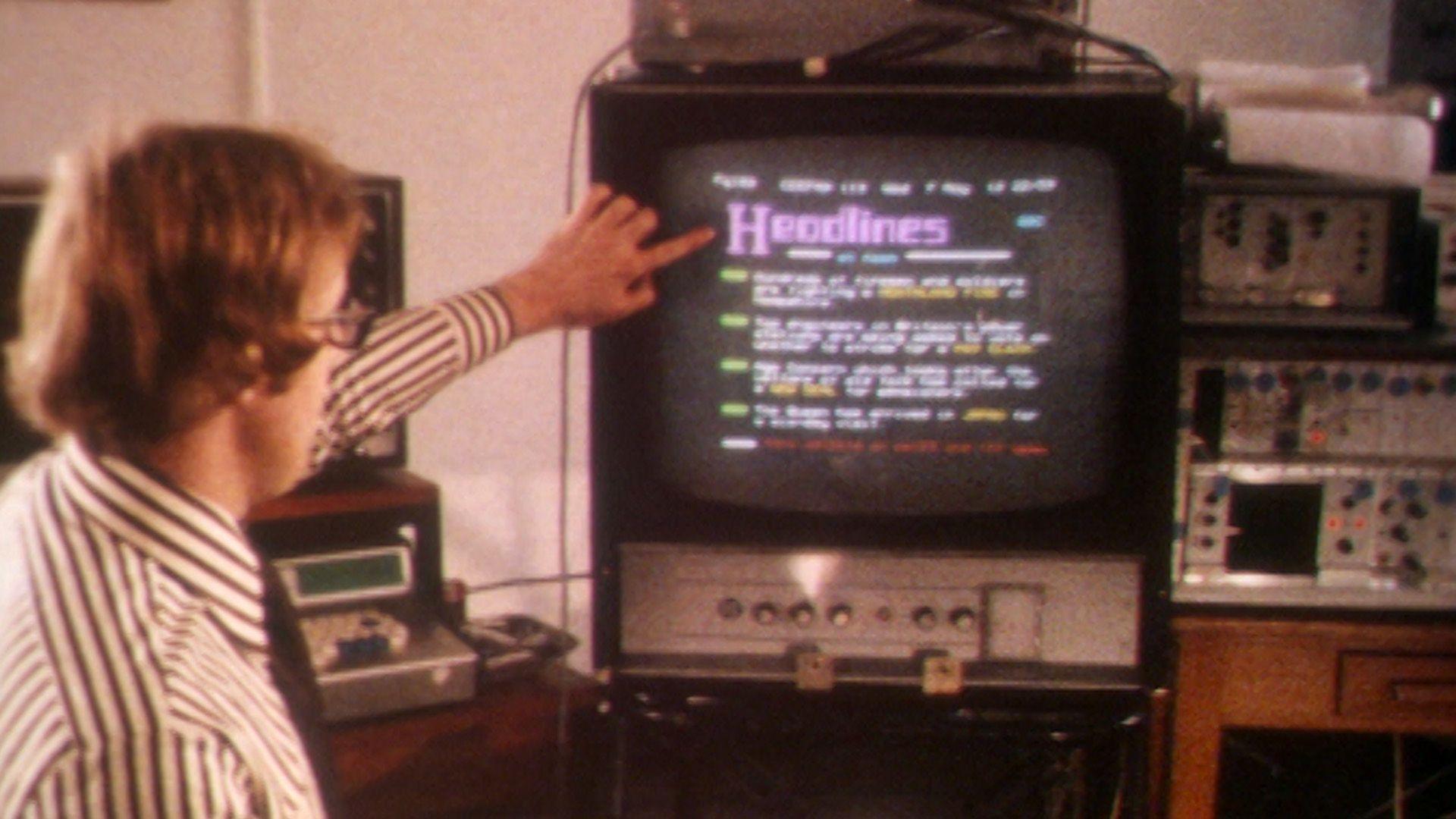
Learn more about the history of teletext:
How Ceefax Station Works
1. Page Generation
Ceefax Station automatically fetches live data from various sources (weather APIs, news feeds, sports data) and formats it into authentic-looking teletext pages. Each page follows the classic 40-column, 24-row format with the same color restrictions and character set as the original.
2. Transmission (TX Mode)
When you're ready to broadcast, Ceefax Station converts the pages into AX.25 packet radio format and modulates them using AFSK1200 (Audio Frequency Shift Keying). This creates an audio signal that can be transmitted over amateur radio frequencies using a standard radio transceiver.
The system supports multiple amateur radio bands including:
- HF bands: 80m, 40m, 30m, 20m, 17m, 15m, 12m, 10m
- VHF bands: 6m, 2m
- UHF bands: 70cm
3. Reception (RX Mode)
Other stations can receive your transmissions using their radio equipment. Ceefax Station includes a receiver mode that uses Dire Wolf to decode the AX.25 packets and reconstruct the teletext pages. Received pages are automatically saved and can be viewed in the terminal-based viewer.
4. Web Tracking
All transmission and reception activity is logged and can be uploaded to ceefaxstation.com, where it's displayed on an interactive map. You can see:
- Which stations are transmitting and receiving
- Links between stations (who received whose transmissions)
- Page transmission and reception statistics
- Station locations using Maidenhead grid squares
Key Features
📺 Authentic Teletext Pages
Weather, news, sports, entertainment, and more—all in the classic Ceefax style
📡 Packet Radio Support
Transmit and receive pages over amateur radio using AX.25 protocol
🌐 Live Data Feeds
Real-time weather, news headlines, sports scores, and exchange rates
🗺️ Interactive Web Map
Track stations and transmissions on a public website
⌨️ Terminal Interface
Classic terminal-based viewer with keyboard navigation (just like the original)
🔄 Automatic Updates
Pages refresh automatically with the latest data
Getting Started
You can try Ceefax Station without radio gear first:
- Install from GitHub — follow the README quick start
- Refresh pages — stations download a shared page pack from this website (no API keys needed)
- Browse the viewer — weather, news, sport, TV, lottery, and more
To transmit on air you'll also need:
- An amateur radio licence
- A transceiver and audio interface to your PC
- Windows (primary supported platform)
Useful links: Download page pack · Open the live map · GitHub repository
Technical Details
Ceefax Station is built with:
- Python 3.11 - Core application language
- AX.25 - Packet radio protocol for transmission
- AFSK1200 - Audio modulation scheme
- Dire Wolf - AX.25 decoder for reception
- FastAPI - Web server for the tracker
- Leaflet.js - Interactive map visualization
The teletext pages follow the World System Teletext standard, ensuring compatibility with original teletext decoders where possible.
Community & Support
Ceefax Station is an open-source project created by M7TJF. The project is available on GitHub where you can:
- Download the latest version
- Report bugs or request features
- Contribute code improvements
- View the changelog and documentation
Visit the GitHub repository to get involved.